 Sideglass
Desktop · Windows · Source available
Everything that matters,
always in view
Sideglass keeps weather, agenda, hardware, notes, YouTube and AI shortcuts in a clean dashboard for your second monitor, without pulling you away from your main screen.
v0.2.28 · Free for personal use
Real screenshots
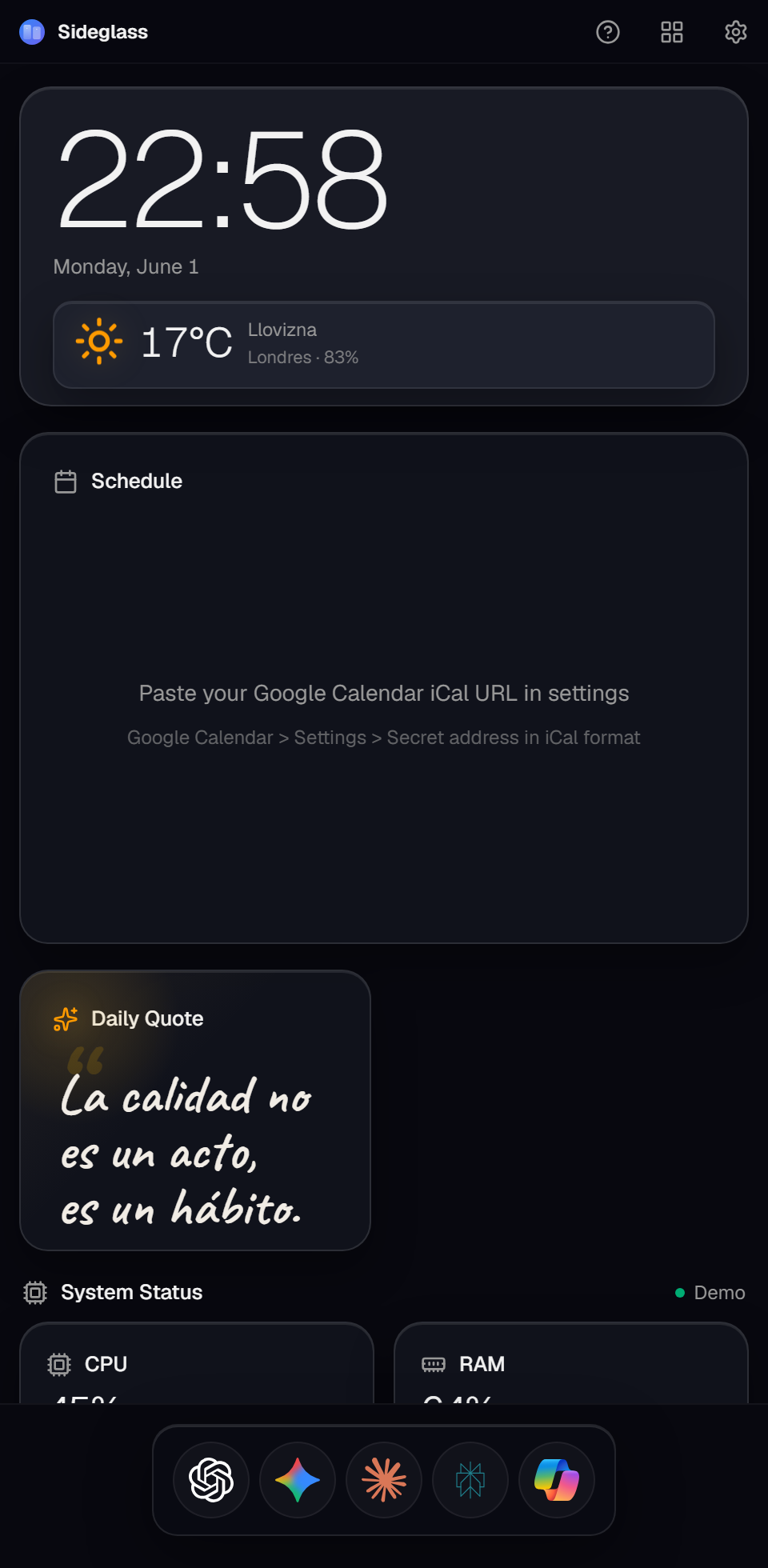
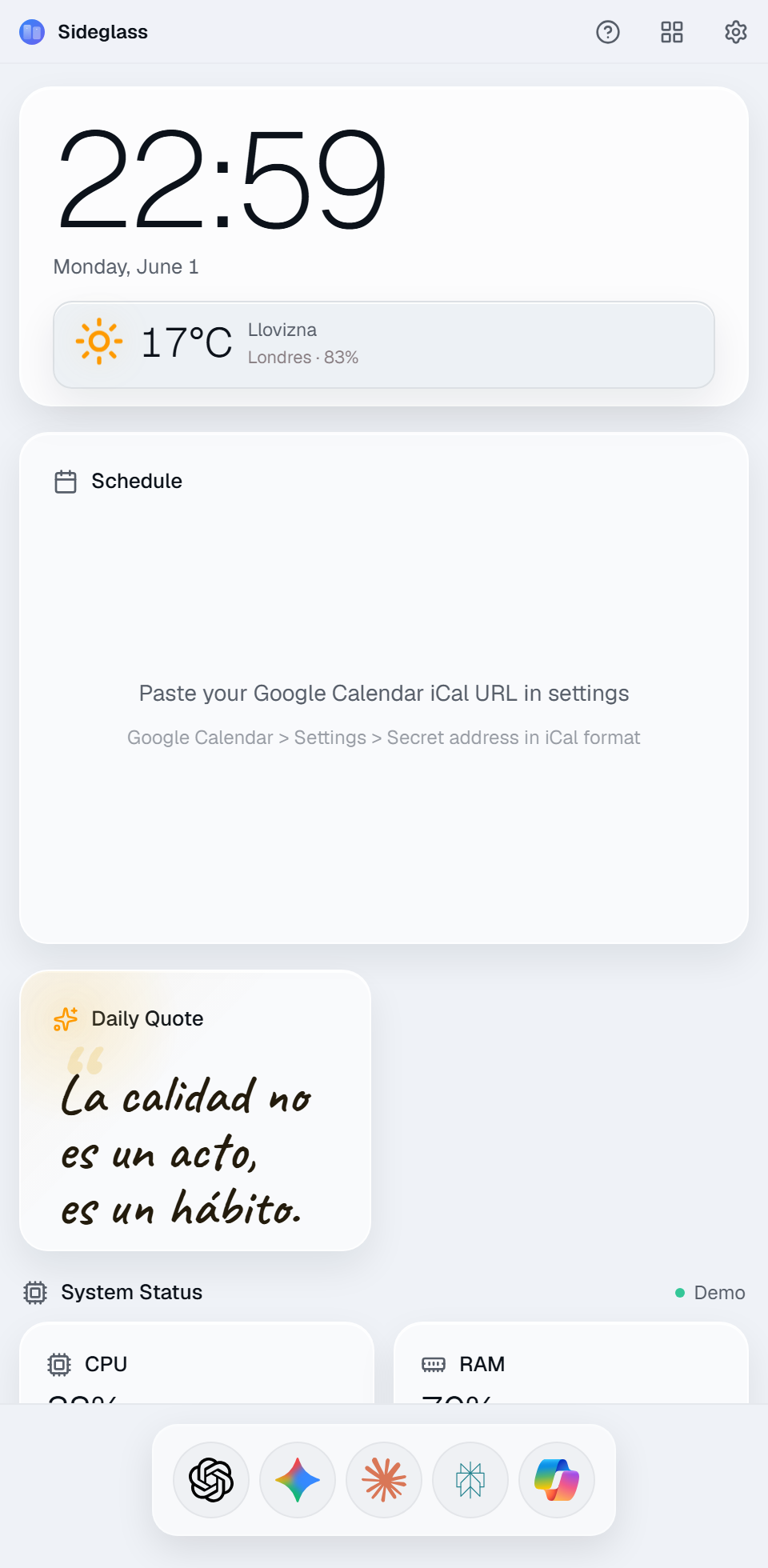
Responsive design for a secondary monitor in portrait or landscape. Light and dark mode with macOS-style materials.
What's inside
Daily information
Native hardware
Real-time CPU, RAM, GPU and disk usage, with real temperatures when sensors are enabled.
Google Calendar
Link it with your secret iCal URL. No scripts, no weird code.
Weather without API key
Open-Meteo with automatic location detection.
Full panel
Customizable layout
Turn on edit mode, drag widgets around, and freely resize every card from the corner.
Built-in YouTube
Search and play videos inside the dashboard, no links to paste.
AI dock
ChatGPT, Gemini, Claude, Perplexity and Copilot with official icons.
Local notes
A quick notepad saved on your PC, built for short notes without relying on the internet.
Install in 4 steps
- Click «Download for Windows» above to download the latest installer (.exe).
- Run the file and follow the setup wizard. If Windows shows a security prompt, confirm to continue. That is normal for new desktop apps.
- Optional: in Settings, paste your Google Calendar iCal URL to see today's agenda.
- In Settings you can enable start with Windows and a global shortcut to show or hide the panel.
Latest version
Recent improvements, explained without jargon. Full history is on GitHub.
- The app can correctly detect updates from inside Sideglass again.
Frequently asked questions
What is Sideglass?
A desktop app (Tauri + Next.js) designed to stay fixed on a secondary monitor, portrait or landscape, with the information you use the most.
How do I install Sideglass on Windows?
Download the installer from the button above, run it and follow the setup steps. On first install you can choose where to install it.
How do I get the secret iCal address of my Google Calendar?
To sync your calendar you paste the secret iCal address into Settings. That key is private: it stays on your PC only and Sideglass does not send it to any server we run; we cannot see it or read your events. Follow these steps from your computer (not available in the mobile app):
- Open Google Calendar: go to calendar.google.com in your browser.
- Open your calendar settings: in the left sidebar, scroll to «Settings for my calendars» and click the name of the calendar you want to sync.
- Go to the integration section: in the menu that opens on the left, click «Integrate calendar».
- Copy the secret address: find the «Secret address in iCal format» box and click the copy icon (the two sheets) to the right of the link.
- Paste that URL into Sideglass Settings, in the Google Calendar (iCal) field.
Privacy: the iCal URL is stored in Sideglass local settings on your computer. There is no cloud database and the project does not log your link. Do not share it with others either: anyone with the link can view your calendar without a password. If it leaks, use «Reset» in Google Calendar to generate a new URL.
How do I see real CPU and GPU temperatures?
Sideglass ships with an integrated sensor service that runs in the background and reads temperatures via WMI. For the CPU temperature, Windows will ask for administrator permission on launch (the service needs it to read that sensor); accept it and the °C will appear within a few seconds.
Can I resize the widgets?
Yes. Click the customization button in the title bar, drag widgets to reorder them, and use the bottom corner of each card to resize it freely. Clock, weather, agenda, and YouTube adapt their content to the available size. Sideglass saves the layout on your PC.
How do I watch YouTube?
In the YouTube widget, type what you want to find and press Search: results show inside the panel. Click a video and it plays embedded, without leaving Sideglass.
Can I view the source code?
Yes. The source is available on GitHub under PolyForm Noncommercial 1.0.0 for noncommercial use, learning, and contributions to the official project. Commercial use requires written permission.